Tutorial: Read Positions and PnL
Step-by-step guide to reading your portfolio, positions, and profit and loss in the app.
Prerequisites
- Active Hypercall account with wallet connected
- At least one open position or filled order
- Basic familiarity with options PnL
Step 1: Position list view
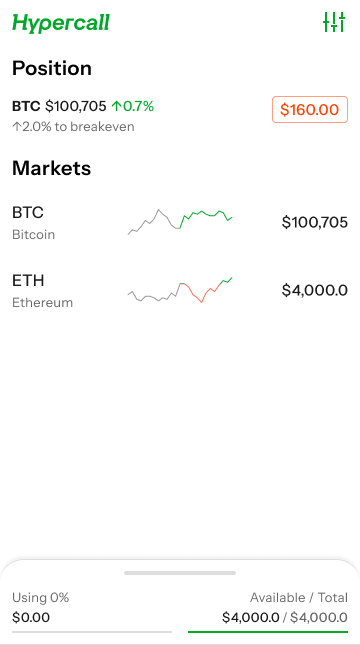
Positions list view.
Step 2: View a position
- Tap a position to view details
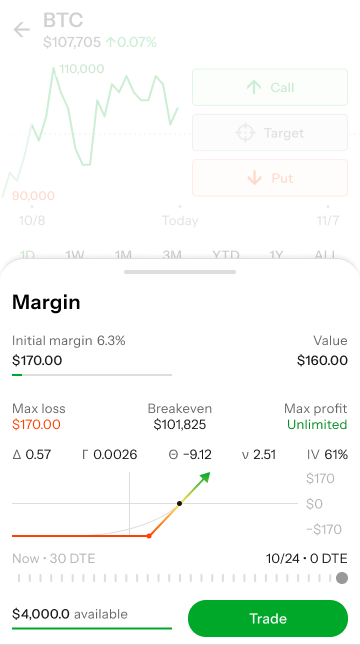
Position PnL View.
Step 3: Expiry outcomes
- At expiry, positions settle in cash based on the 30-minute TWAP price (08:00 UTC)
- Outcomes depend on whether the option expires in the money or out of the money
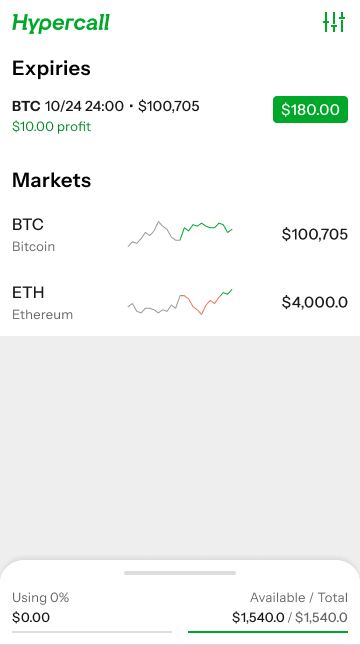
Expiry outcome with profit.
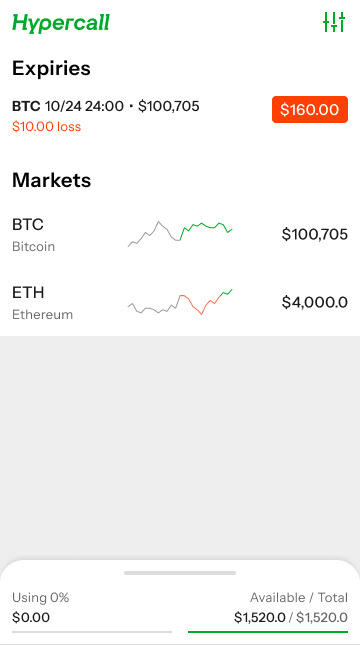
Expiry outcome with partial loss.
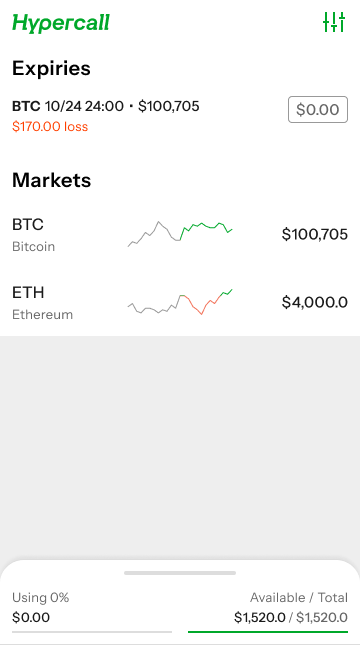
Expiry outcome out of the money.
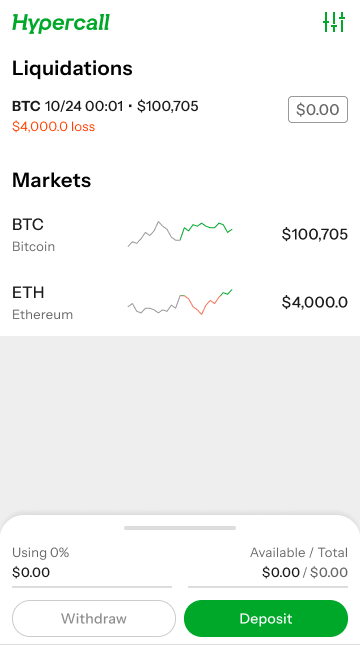
Liquidation
Common Issues
"Portfolio shows zero positions but I have fills"
Cause: Position may have expired and been settled, or state is still updating.
Fix:
- Check fills to verify execution
- Look for recent settlement updates
- Refresh the portfolio view
"Unrealized PnL doesn't match my calculation"
Cause: Mark price may differ from your reference price, or fees may be included.
Fix:
- Verify the mark price source
- Check if fees are included in displayed PnL
- Report if discrepancy is significant
"Portfolio updates are delayed"
Cause: UI refresh or WebSocket delay.
Fix:
- Reconnect the app or refresh the page
See also
- Settlement - Position expiry and settlement
- WebSocket API - Portfolio channel details